
Vox0 · free and open source
Offline dictation
for Windows
Hold Insert, speak, then release to type into a supported Windows app. Whisper runs on your PC. The speech models come with Vox0, so you can dictate offline from the first launch.
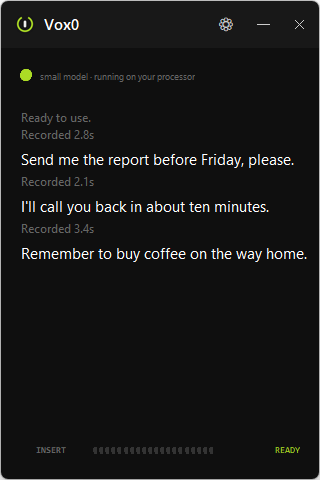
No actors, no script -- just Bryan talking to his own PC, an RTX 3070, which is why it's this fast.
How it works
Turn speech into text with one key
- HOLDPress the keyHold Insert. The microphone opens only now, and closes the moment you let go.
- SPEAKSay it out loudTalk normally. Nothing to memorise, no wake word.
- RELEASELet goVox0 types into the active text field without changing the clipboard.
The speech recognition runs on your own computer usingWhisper. Vox0 never uploads your audio. Recent dictations stay in the app's history until you close it. If a field blocks typing, the transcription is still available there.
What it looks like
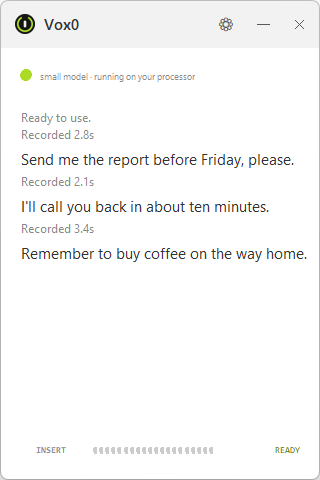
A small window that stays out of the way
How it compares
Vox0 and Wispr Flow: dictation, with a different approach
Both turn speech into text where you type. Vox0 is for Windows users who want their voice processed entirely on their own PC.
| Feature | Vox0 | Wispr Flow |
|---|---|---|
| Price | Free, no subscription | Free and paid plans |
| Transcription | On your PC, using Whisper | In the cloud |
| Works offline | Yes, models included | No, internet required |
| Dictation into apps | Supported editable fields | Yes |
| Platforms | Windows 10 and 11 | Mac, Windows, iOS and Android |
| Text processing | Transcription, punctuation and number formatting | AI cleanup and rewriting |
Vox0 focuses on local dictation. Flow also offers AI rewriting and cross-device features. Compare those features with your needs.
Sources: Wispr Flow features,cloud transcription and internet requirement,plans. Checked .
Questions
Vox0 installation and dictation FAQ
Does it work offline?
Yes. Install Vox0 from Microsoft Store and allow microphone access when Windows asks. The app includes Tiny, Small, Medium and Turbo models, so dictation works offline from the first launch without a separate model download.
Is it free?
Yes, and it is open source under the MIT license. No account, no subscription, no paid tier, no trial that runs out.
Is Vox0 a free offline alternative to Wispr Flow?
Yes, for dictating into supported Windows apps. Vox0 runs Whisper on your PC with models included. Wispr Flow transcribes in the cloud and also offers AI rewriting and cross-device features.
How is it different from Windows Voice Typing (Win+H)?
Windows Voice Typing (Win+H) uses online speech recognition. Vox0 uses Whisper locally, works offline after installation, and lets you choose a model for your hardware.
Which languages does it support?
Spanish, English, Portuguese, French, German and Italian. Automatic mode detects the language for each dictation. You can also choose a fixed language to improve accuracy on short clips. Mixing languages in one recording can cause errors.
Do I need a graphics card?
No. Vox0 uses a compatible NVIDIA GPU when available, or runs on your CPU. You can also select CPU in Settings. The NVIDIA runtime is included.
Is my voice sent anywhere?
Vox0 does not upload audio or transcriptions. It records only while you hold your configured key. The app you dictate into handles inserted text under its own policy. See the Vox0 privacy policy.
Which key does it use?
Insert by default, and you can change it to any key or an extra mouse button. Avoid normal letters: the key is not blocked, so choosing q would start a recording every time you typed one.